


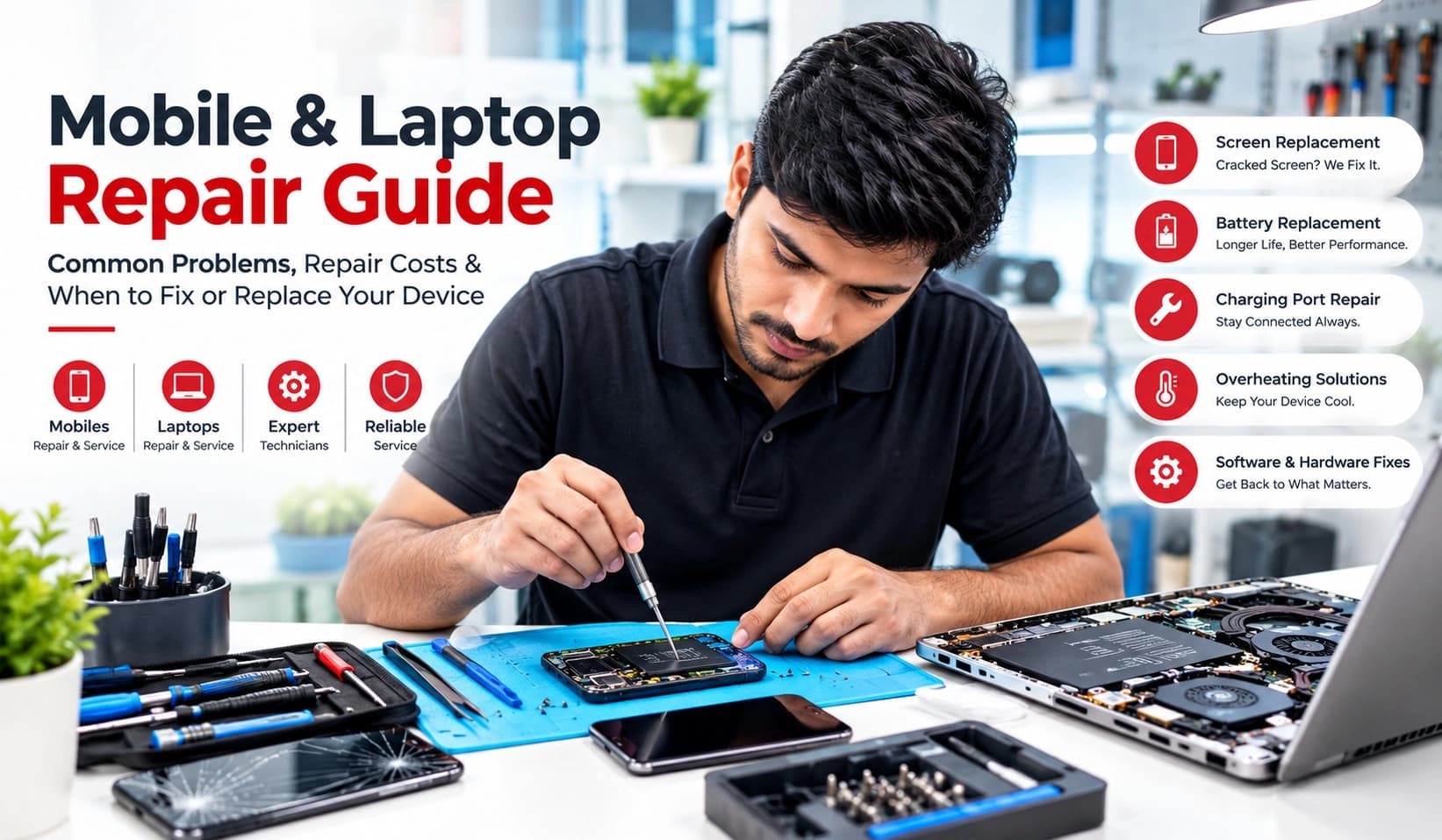
Mobile & Laptop Repair Guide: Common Problems, Repair Costs & When to Fix or Replace Your Device
Smartphones and laptops have become an essential part of everyday life. We use our phones for communication, payments, photography, entertainment and work, while laptops handle everything from office tasks and online classes to business, editing and gaming.
But like every electronic device, mobiles and laptops can develop problems over time.
A cracked screen, weak battery, charging issue, overheating, slow performance or sudden shutdown does not always mean that you need to buy a new device. In many cases, a professional repair can restore your device and save you a significant amount of money.
This mobile and laptop repair guide explains the most common problems, possible repair solutions, approximate repair costs in India, and how to decide whether you should repair or replace your device.
Whether you own an iPhone, Samsung Galaxy, OnePlus, Xiaomi, Vivo, Oppo, Realme, Motorola, Apple MacBook, Dell, HP, Lenovo, ASUS or another popular device, understanding the basics of repair can help you make a smarter decision.
Why Do Mobile Phones and Laptops Need Repairs?
Electronic devices are exposed to daily wear and tear.
Phones are frequently dropped, exposed to dust and moisture, connected to chargers and carried in pockets or bags. Laptops face their own problems, including heat, dust accumulation, battery degradation, software issues and mechanical wear.
Some common reasons for device repairs include:
Accidental drops
Broken or cracked screens
Battery degradation
Charging problems
Damaged charging ports
Water or liquid exposure
Overheating
Slow performance
Software problems
Storage failure
Keyboard problems
Speaker or microphone failure
Camera problems
Wi-Fi or Bluetooth issues
Damaged laptop hinges
Hard-drive or SSD problems
Operating-system errors
The important thing is that not every problem requires a new device.
A proper diagnosis should come before making a replacement decision.
Common Mobile Phone Problems and Their Solutions
1. Cracked or Broken Phone Screen
A cracked screen is one of the most common smartphone problems.
Even if the touchscreen still works, continuing to use a badly damaged display can be uncomfortable and may create additional problems. Small cracks can also spread after repeated drops or pressure.
Depending on the phone, a repair may involve replacing:
The front glass
Touch panel
Display assembly
OLED/AMOLED panel
LCD panel
The exact repair depends on the construction of the smartphone and the extent of the damage.
Should you repair a cracked screen?
Generally, repairing the screen makes sense when the phone is otherwise in good condition and the repair cost is significantly lower than purchasing an equivalent replacement phone.
For an older budget phone with multiple problems, however, replacing the device may make more financial sense.
2. Mobile Battery Draining Quickly
Does your phone lose battery much faster than it used to?
Battery capacity naturally decreases after repeated charging cycles. Heavy gaming, high screen brightness, background applications, poor network conditions and an aging battery can also affect battery life.
Signs that your phone battery may need replacement include:
Battery percentage dropping unusually quickly
Phone shutting down unexpectedly
Very short battery life
Phone becoming unusually warm
Battery percentage jumping unexpectedly
Device restarting under heavy use
Battery swelling
A professional battery replacement can often extend the useful life of a phone considerably.
Never ignore a swollen battery
If your phone is physically expanding, the screen is lifting away from the frame, or the battery appears swollen, stop using the device and have it inspected by a qualified technician.
Do not puncture, press or attempt to remove a swollen battery yourself.
3. Phone Not Charging
A smartphone that refuses to charge does not automatically mean that the battery is dead.
Possible causes include:
Damaged charging cable
Faulty charger
Dust or debris in the charging port
Damaged charging connector
Battery failure
Charging IC or motherboard issue
Software-related charging problems
Before paying for a repair, try a known-good compatible charger and cable.
If the problem continues, professional diagnosis is recommended.
4. Damaged or Loose Charging Port
Repeated plugging and unplugging can eventually damage a phone's charging port.
You may notice:
Cable becoming loose
Phone charging only at a particular angle
Charging disconnecting frequently
No charging response
Slow or inconsistent charging
Sometimes the port simply needs cleaning. In other cases, the connector or related components may require repair or replacement.
5. Water or Liquid Damage
Water damage can be particularly serious because a phone may appear to work normally immediately after getting wet and then develop problems later.
Liquid can affect:
Motherboard components
Charging circuits
Display
Battery
Speakers
Cameras
Connectors
If your phone gets wet, avoid repeatedly switching it on to check whether it works.
Do not use excessive heat or attempt complicated internal repairs yourself.
Professional inspection as soon as possible is the safer approach.
6. Phone Overheating
Some heat during gaming, charging or intensive use can be normal. Excessive or unusual heating, however, deserves attention.
Possible causes include:
Aging battery
Heavy background applications
Poor-quality charger
Software problems
Blocked ventilation
High-performance gaming
Battery or motherboard faults
If the device becomes extremely hot without heavy usage, professional diagnosis is recommended.
7. Speaker, Microphone or Camera Problems
Hardware damage, dust, liquid exposure or software issues can cause problems with speakers, microphones and cameras.
Before assuming that a component has failed, check:
App permissions
Volume settings
Camera permissions
Bluetooth connections
Software updates
Whether the issue occurs in multiple applications
If the problem continues, the component can be professionally tested.
Common Laptop Problems and Repairs
Laptops can usually be repaired through either hardware replacement, component-level repair, cleaning, software troubleshooting or a combination of these.
Here are some of the most common problems.
1. Laptop Running Slowly
A slow laptop is not necessarily an old laptop that needs replacement.
Performance can be affected by:
Too many startup programs
Insufficient RAM
Nearly full storage
Aging hard drive
Background applications
Malware
Overheating
Outdated drivers
Operating-system problems
One of the most effective upgrades for many older laptops is replacing a traditional hard drive with an SSD.
An SSD can significantly improve boot times, application loading and general responsiveness.
Adding or upgrading RAM can also help when the laptop has insufficient memory for your workload.
2. Laptop Overheating
Laptop overheating is common when dust accumulates around the cooling system.
Possible causes include:
Dust-clogged fan
Blocked air vents
Dried thermal paste
Faulty cooling fan
Heavy CPU/GPU usage
Poor ventilation
Professional cleaning and servicing can sometimes make a noticeable difference.
If the laptop frequently shuts down because of high temperatures, it should be inspected rather than continuously operated under those conditions.
3. Laptop Battery Not Holding Charge
Laptop batteries lose capacity over time.
Typical signs include:
Very short battery life
Laptop shutting down when unplugged
Battery percentage staying unusually low
Battery charging inconsistently
Battery swelling
Battery replacement can be a practical option when the rest of the laptop is still performing well.
4. Broken Laptop Screen
Laptop displays can be damaged through drops, pressure, impact or hinge-related problems.
Depending on the model, repair may involve replacing:
LCD panel
LED display
Display cable
Hinges
Bezel
Complete display assembly
Before ordering a replacement screen, the exact laptop model and compatible panel should be identified.
5. Laptop Keyboard Problems
Individual keys or the complete keyboard may stop working because of:
Liquid damage
Dust
Physical damage
Keyboard membrane failure
Internal connector problems
If only a few keys are affected, diagnosis is important because the problem could sometimes be related to software or the keyboard connection rather than the complete keyboard.
6. Laptop Charging Problems
A laptop that is not charging may have an issue with:
Charger
Charging cable
DC jack
USB-C charging port
Battery
Charging circuit
Motherboard
Always test with a compatible charger before assuming that the laptop itself needs repair.
7. Laptop Storage Problems
Traditional HDDs can develop mechanical problems after years of use.
Warning signs include:
Very slow performance
Clicking or unusual sounds
Frequent freezes
Files becoming inaccessible
Boot errors
If important data is involved, stop unnecessary use of a failing drive and consider professional data recovery or backup assistance.
Replacing an old HDD with an SSD can also provide a significant performance improvement when the laptop supports the upgrade.
Approximate Mobile & Laptop Repair Costs in India
Repair prices vary considerably depending on the device brand, model, component quality, availability of parts and complexity of the repair.
The following ranges are general estimates only, not fixed prices:
Repair TypeApproximate Cost Range in IndiaMobile battery replacement₹800 – ₹4,000+Mobile charging-port repair₹500 – ₹3,000+Mobile screen replacement₹1,000 – ₹15,000+Mobile speaker/mic repair₹500 – ₹3,000+Mobile camera replacement₹1,000 – ₹8,000+Laptop battery replacement₹1,500 – ₹7,000+Laptop keyboard replacement₹1,000 – ₹5,000+Laptop screen replacement₹3,000 – ₹15,000+Laptop SSD upgrade₹2,000 – ₹10,000+Laptop RAM upgrade₹1,500 – ₹6,000+Laptop cleaning/service₹500 – ₹2,000+Laptop charging-port repair₹800 – ₹4,000+
Important: Premium smartphones, MacBooks, gaming laptops and newer devices can cost substantially more to repair.
Always get a diagnosis and quotation before approving a repair.
Repair or Replace: Which Is Better?
This is one of the biggest questions customers have when their device develops a serious problem.
There is no single answer.
Consider these five factors.
1. Age of the Device
A relatively new phone or laptop with one repairable problem is often worth repairing.
An older device with several problems may not be worth spending heavily on.
2. Repair Cost
Compare the estimated repair cost with the current value of the device.
For example, if a phone is worth approximately ₹12,000 in the current market and its repair would cost ₹2,000–₹3,000, repair may be sensible.
If the repair costs close to the value of the device, replacement deserves consideration.
3. Overall Condition
Don't look at just one component.
Check:
Battery condition
Screen
Camera
Charging port
Storage
Performance
Body condition
Software support
Other existing faults
A device with one problem is very different from a device with five problems.
4. Your Actual Requirements
A replacement device may offer:
Better performance
Longer software support
Better camera
Improved battery
Newer connectivity
More storage
But if your current device already meets your requirements, repairing it can be the more economical option.
5. Data and Personal Setup
Replacing a device means transferring:
Photos
Contacts
WhatsApp data
Documents
Applications
Accounts
Passwords
Settings
Repairing your existing device can sometimes be more convenient because your existing setup remains familiar.
A Simple Repair vs. Replace Formula
You can use this simple approach:
Repair when:
Repair cost + expected future maintenance is comfortably below the cost of an equivalent replacement device.
Consider replacement when:
Repair cost is high + device is old + several components are already failing + software support is limited.
The cheapest immediate option is not always the cheapest long-term option.
How to Choose a Good Mobile or Laptop Repair Service
Choosing the right repair service is just as important as choosing the repair itself.
Before handing over your device, consider the following.
1. Ask for a Proper Diagnosis
Don't approve an expensive repair simply because someone says, “The motherboard is damaged.”
Ask what was tested and what component appears to be responsible.
2. Ask About Parts
Find out whether the replacement component is:
Original/OEM
Manufacturer-approved
Compatible aftermarket
Refurbished
The terminology and availability vary by device, so ask what you are actually receiving.
3. Ask About Warranty
A repair warranty provides additional confidence.
The warranty period can vary by repair type and replacement part, so ask for the terms before approving the job.
4. Request a Cost Estimate
Get the expected repair cost before work begins.
If additional damage is discovered during repair, the technician should ideally contact you before performing additional chargeable work.
5. Protect Your Data
Before submitting your device:
Back up important files
Remove sensitive information where practical
Record your device condition
Note the device's serial/IMEI information where appropriate
Ask how your data will be handled
For laptops, maintain a current backup of important files even if the device appears to be working normally.
How to Prevent Expensive Repairs
Prevention can save more money than repair.
For Smartphones
Use a good-quality protective case.
Use a screen protector.
Avoid charging with damaged cables.
Keep the charging port clean.
Avoid extreme heat.
Keep liquids away from the phone.
Install software updates.
Don't ignore battery swelling.
Use compatible chargers and accessories.
For Laptops
Keep air vents unobstructed.
Don't regularly use the laptop on soft surfaces such as beds.
Clean dust from the cooling system periodically.
Avoid liquid near the laptop.
Use a suitable charger.
Maintain sufficient free storage.
Keep the operating system and drivers updated.
Back up important files.
Consider an SSD upgrade instead of immediately replacing an otherwise usable laptop.
When Should You Not Try a DIY Repair?
DIY repairs can look simple in online videos, but modern smartphones and laptops can be surprisingly difficult to disassemble.
Avoid attempting internal repair if you don't have the correct tools or experience, especially for:
Swollen batteries
Water-damaged devices
Motherboard repairs
Broken glass near batteries
Charging-circuit problems
MacBook repairs
High-value smartphones
Data recovery
Devices that become extremely hot
A mistake during disassembly can turn a relatively inexpensive repair into a much more expensive one.
Gadgetutor: Your Partner for Mobile, Laptop & Gadget Repairs
At Gadgetutor, the goal is to help customers make a practical decision about their devices instead of automatically recommending a replacement.
Whether you have a smartphone with a damaged screen, a phone that is not charging, a weak battery, a slow laptop, an overheating computer or another gadget-related problem, proper diagnosis should come first.
Gadgetutor provides support around buying, selling, repairing and exchanging new and refurbished mobiles, laptops, tablets, desktops, PCs and accessories.
If your device is giving you trouble, getting it checked can help you understand whether repair, upgrade or replacement makes the most sense.
Frequently Asked Questions About Mobile & Laptop Repair
Is it cheaper to repair a phone or buy a new one?
It depends on the phone's age, condition and repair cost. If the device is relatively new and the repair is limited to one component, repair can be considerably more economical.
How much does mobile repair cost in India?
There is no single fixed price. Screen, battery, charging-port and motherboard repairs have very different costs. The brand and model also make a significant difference.
Is a cracked phone screen worth repairing?
Usually, yes, if the phone is otherwise in good condition and the screen replacement cost is reasonable compared with the device's current value.
How do I know if my phone battery needs replacement?
Fast battery drain, unexpected shutdowns, significant battery-health degradation, excessive heat and physical swelling can indicate a battery problem.
Can a slow laptop be repaired?
Yes. A slow laptop may benefit from software cleanup, additional RAM, an SSD upgrade, thermal servicing or other maintenance depending on the cause.
Is replacing an HDD with an SSD worth it?
For many compatible laptops, an SSD upgrade can provide a noticeable improvement in boot times, application loading and general responsiveness.
How often should a laptop be serviced?
There is no universal interval because usage and environment differ. Laptops used in dusty environments or under heavy workloads may need cleaning more frequently.
Can a water-damaged phone be repaired?
Sometimes, but the outcome depends on the extent of liquid exposure and component damage. Professional inspection should be performed as soon as possible.
Should I repair an old laptop?
Consider the laptop's age, processor, RAM, storage, battery, overall condition and repair cost. An inexpensive SSD or RAM upgrade can sometimes extend the useful life of an older laptop.
Should I repair or replace my device?
Compare the repair cost with the device's current market value, age, remaining software support and overall condition. Also consider whether the device still meets your needs.
Final Thoughts
A broken smartphone or laptop does not always mean that it is time to buy a new one.
Many common problems—from damaged screens and weak batteries to charging issues, overheating and slow performance—can potentially be solved through professional repair or an appropriate upgrade.
The smartest approach is to diagnose the problem first, understand the repair cost, evaluate the device's age and condition, and then decide whether repair or replacement provides better value.
Taking care of your devices, backing up important data and addressing small problems early can also help prevent more expensive failures later.
When your mobile, laptop or other gadget starts showing signs of trouble, don't immediately assume that replacement is the only option. A proper repair assessment may help you save money and extend the useful life of the device.
Gadgetutor is here to help you buy, sell, repair and exchange your gadgets with confidence.